n8n Merge Node Wait for All Inputs: Why It Never Fires
'Wait for All Inputs to Arrive' means exactly that: if one branch sends zero items, the Merge node waits forever. Here's how to tell which of five causes you have, and the fix for each.
Saksham Dogra 10 min read
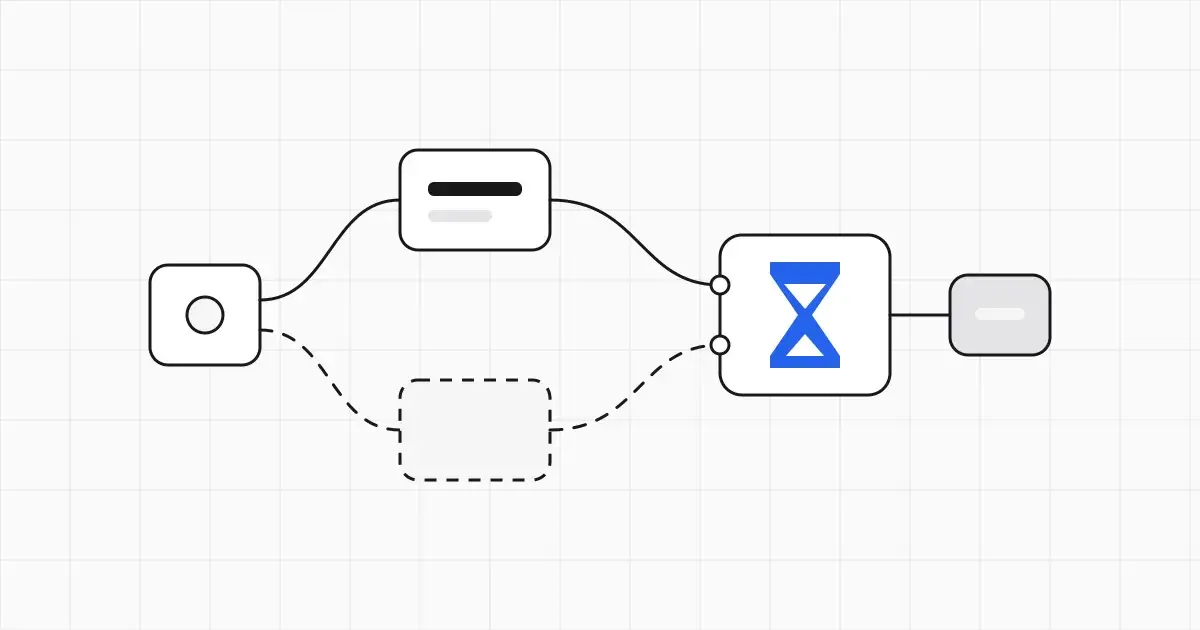
If your n8n Merge node set to wait for all inputs never fires, one of its inputs is getting zero items. In Choose Branch mode (“Wait for All Inputs to Arrive”), the Merge node needs data on both inputs before it runs, and a branch that returns nothing just ends, so the Merge waits forever and everything after it stays grey.
That matters because the failure is silent. A lead-routing or enrichment flow works all week, then the first day a CRM lookup comes back empty, the execution finishes with no error and nothing downstream runs. Out of five Merge modes, one needs both inputs; the other four don’t. Below: how to tell which cause you have, a fix for each, and three importable workflows that show the broken and fixed versions side by side.
Free downloads (n8n workflow JSON)
- Empty-branch fix: one lookup returns 0 items. Lane A stalls in Choose Branch, lane B continues with Append, lane C uses Always Output Data.
- Double-run fix: two branches wired into one node (it runs twice) next to the same branches joined by a Merge (it runs once).
- IF + Merge pattern: split by a condition, tag each branch, join with Append. Keeps working when one If output is empty.
To import, open a blank workflow in n8n and paste the file’s contents onto the canvas (or use Import from File). They use only core nodes and need no credentials.
Checked on 4 Nov 2026 against docs.n8n.io, the current Merge node source on GitHub, and n8n GitHub issues and community threads. We have not run these workflows on a live n8n instance; the behavior described is per n8n’s docs and source. Import them and click Execute workflow to see it on your version.
Quick diagnosis: symptom, cause, fix
Open the execution (Executions tab for production runs), click the Merge node, and look at what each input received.
| Symptom | Likely cause | Fix |
|---|---|---|
| Merge stays grey, no error, one input shows no items | Choose Branch (“Wait for All Inputs to Arrive”) with one input empty | Fix 1: switch to Append, or Fix 2: Always Output Data upstream |
| Merge runs but outputs 0 items, so nothing after it runs | Combine by Matching Fields with Keep Matches, and one side is empty (nothing to match) | Fix 3: pick a join that keeps unmatched items, or guard the empty side |
| Node after the Merge (or after two branches) runs twice, each run with half the data | Two wires going into one input | Fix 4: one branch per Merge input |
| Both If outputs run, even the one with no data | Legacy v0 execution order | Fix 5: set Execution Order to v1 |
| Merge with 3+ inputs on Choose Branch hangs | One output of a multi-output node (Switch, Compare Datasets) is empty | Fix 1 or Fix 2 |
| Merge drops items from Input 2 | Uneven item counts; Input 1 takes precedence | Fix 3 |
Why “wait for all inputs” never fires
Two rules combine to cause this.
Rule 1: a node that outputs zero items ends its branch. n8n only runs a node when it receives data. The v1.0 migration guide says nodes “are now executed only when they receive data”. Back in 2021, n8n maintainer Jan Oberhauser (janober) described the same rule in GitHub issue #1621: if a node outputs no items, n8n stops executing that path because there is nothing to process. An If with nothing on its false output, a Filter that removes every item, an HTTP Request or database query that returns an empty list: each one ends its branch.
Rule 2: Choose Branch needs data on both inputs. The docs say Choose Branch “always waits until the data from both inputs is available.” The Merge node’s own source makes it explicit. In the current version (3.x), requiredInputs is set to inputs 1 and 2 when the mode is chooseBranch, and to a single input for every other mode. The code comment reads: “If mode is chooseBranch data from both branches is required to continue, else data from any input suffices.”
Put them together: Choose Branch + one empty branch = a Merge node that never runs, and no error either, because nothing failed.
The phrase people search for comes from the UI. In Choose Branch mode, Output Type shows Wait for All Inputs to Arrive (older Merge versions, as in GitHub issue #6596, labeled it “Wait for Both Inputs to Arrive”). Users reasonably assume the other modes don’t wait. They do wait for connected branches to finish (the docs say Append “waits for the execution of all connected inputs”), but under the v1 execution order they don’t need data on every input to run.
One caveat: forum answers disagree here. In a February 2026 community thread, one reply says Append runs with “whatever comes in” and another says the Merge only outputs once both inputs have run, and the poster’s Append Merge didn’t continue. The current source sides with the first reply, and so does the v1.0 migration guide (“multi-input nodes require data on at least one of their inputs to execute”). If an Append Merge still stalls for you, check two things: the workflow’s execution order (Fix 5) and whether the Merge node is an old version (2.x) carried over from an older workflow. Adding a fresh Merge node gets you the current version.
The 5 fixes
1. Switch the Merge to Append when you just need to rejoin branches
Most “wait for all inputs” Merges exist to rejoin an If or Switch, not to choose between inputs. Append is the right mode for that:
- Open the Merge node and set Mode to Append.
- Set Number of Inputs to the number of branches (2 by default; up to 10 from n8n 1.49.0).
- Connect each branch to its own input.
Append outputs the items of input 1, then input 2, and so on. If one branch is empty, you get the other branch’s items. This is lane B in the empty-branch workflow and the whole point of the IF + Merge pattern.
Keep Choose Branch only when you truly want to continue after both branches finish, for example “write to the database AND post to Slack, then send the confirmation.” For that case, use Fix 2.
2. Turn on Always Output Data on the node that can come back empty
When you need the Merge to wait for both sides, make sure both sides always send something:
- Open the node that can return zero items (the HTTP Request, database query, Filter or Code node feeding the empty input).
- Go to Settings and turn on Always Output Data.
Per n8n’s node settings docs, the node “returns an empty item even if the node returns no data during execution,” so its branch keeps going and the Merge gets data on that input. This is lane C in the empty-branch workflow.
Two cautions:
- Not on If nodes. The docs warn: “Be careful setting this on IF nodes, as it could cause an infinite loop.” Put it on the node before the If, or on the last node of the branch.
- Filter the empty item out if you later use that input’s data. An accepted answer in community thread #32303 recommends exactly this: Always Output Data upstream, then an If (or Filter) after the Merge to drop the empty item.
3. Pick the right Combine option when the Merge outputs zero items
If the Merge runs but outputs nothing, check the mode. Combine > Matching Fields defaults to Keep Matches, which works like an inner join. With one side empty there’s nothing to match, so it can output zero items, and by Rule 1 everything after it stops.
- Want all of input 1, enriched where possible? Use Enrich Input 1 (a left join).
- Want everything from both sides? Use Keep Everything (an outer join).
- Combining by Position? Turn on Include Any Unpaired Items, or unpaired items are dropped.
- Merging uneven lists: per the docs, Input 1 takes precedence. Five items on Input 1 and ten on Input 2 means only five are processed. Put the longer list on Input 1, or use Append.
- SQL Query mode on Merge 3.2 (n8n 1.95.0+) has Options > Empty Query Result: Empty Result (the default, no items) or Success (one
{ "success": true }item). Older Merge nodes always output{ "success": true }when the query returns no rows.
4. Stop double runs: one branch per Merge input
The other classic complaint is the reverse: a node runs twice, and each run has only half the data. In a 2022 answer on the n8n community forum (thread #10170), n8n’s Jan explained that connecting two nodes into one input means “each connection executes the node 1x,” and that the Merge “combines data of the one execution of input 1, with the data of one execution of input 2.”
So:
- Never wire two branches into the same input of a regular node (or the same Merge input).
- Add a Merge node in Append mode, connect branch A to Input 1 and branch B to Input 2.
- Connect the Merge to the next node. It now runs once with all items.
The double-run workflow shows both lanes. Its summary Code node prints $runIndex and the item count, so a second run is obvious.
Also check loops. A Merge inside a Loop Over Items, or fed by branches that run at different points in the execution, can run once per round of input it receives. In the July 2025 thread #158326, a user saw “always 2 runs” from one Merge and worked around it with an If that keeps the complete first run. The cleaner fix is to make sure both branches start from the same single item and rejoin before any loop restarts.
5. Old workflow? Switch the execution order to v1
Workflows created before n8n 1.0 keep the v0 (legacy) execution order. Under v0, n8n ran a multi-input node as long as its first input had data, and nodes on the second input ran whether or not they received data. The Merge node docs describe the visible symptom: add a Merge after an If, and “both output data streams of the If node” can execute, because the Merge goes and runs the other branch. GitHub issues #3949 and #6596 are this bug; n8n closed both as fixed by the new execution order, released in n8n 1.0.5.
To switch:
- Open the workflow, then Settings (workflow settings, not node settings).
- Set Execution Order to v1 (recommended), save, and test.
v1 runs one branch to completion before starting the next, top to bottom by canvas position (leftmost first at the same height). Test after switching: flows that relied on v0 quirks can behave differently.
Worked example: a lead router that stopped on a quiet day
A founder’s flow pulls new form leads and new CRM leads every morning, and joins them in a Merge set to Choose Branch > Wait for All Inputs to Arrive (Use Data of Input 2) before scoring. For three weeks it scores 20 to 40 leads a day. On a Sunday the CRM query returns 0 rows:
- The CRM branch ends at the query node (0 items out).
- The Merge has data on input 2 only. Choose Branch needs inputs 1 and 2, so it doesn’t run.
- The execution shows success. Scoring, the sheet update and the Slack alert never run.
Fix options, in order of preference:
- The Merge only exists to rejoin two lists, so switch it to Append. Sunday’s run continues with the form leads alone.
- If the founder really needs “both lookups finished” semantics, keep Choose Branch, turn on Always Output Data on the CRM query, and add a Filter after the Merge that drops items with no
email.
(Illustrative example. Import the empty-branch workflow to see the same three lanes.) Building lead flows like this? Our n8n lead generation workflow uses an If node that ends quietly on its false branch, which is safe until you add a Merge after it.
Checklist before you publish
- Every Merge input has exactly one incoming wire.
- Choose Branch is used only where you need both branches finished; everything else uses Append or Combine.
- Nodes that can legitimately return nothing have Always Output Data on (not on If nodes), with a Filter downstream if needed.
- Workflow settings show Execution Order v1.
- You’ve tested the empty case on purpose: pin or edit test data so one branch returns zero items, then execute.
If a production run doesn’t appear at all, the problem is upstream of the Merge: see n8n production webhook not working. More n8n guides are on the AI automation hub.
General information for founders building with n8n, not professional advice. n8n changes quickly; confirm the behavior on your version. Checked on 4 Nov 2026.
Frequently asked questions
Why does my n8n Merge node never fire?
Does the n8n Merge node wait for all inputs in Append mode?
Why does a node after my Merge run twice?
What does Always Output Data do in n8n?
Why did both branches of my If node run when I added a Merge node?
Can the n8n Merge node have more than two inputs?
Sources
- 1. Merge node (n8n Docs) docs.n8n.io
- 2. Understand execution order (n8n Docs) docs.n8n.io
- 3. Configure workflow settings: Execution order (n8n Docs) docs.n8n.io
- 4. n8n v1.0 migration guide: execution order (n8n Docs) docs.n8n.io
- 5. Work with nodes: Node settings, Always Output Data (n8n Docs) docs.n8n.io
- 6. Merge V3 versionDescription.ts, requiredInputs (n8n source on GitHub) github.com
- 7. Issue #3949: Merge node does not wait for both inputs (n8n GitHub) github.com
- 8. Issue #6596: Merge 'Wait for both inputs to arrive' is not waiting (n8n GitHub) github.com
- 9. Issue #1621: Merge with empty array returns no data (n8n GitHub) github.com
- 10. Merge node when one input is empty (n8n Community) community.n8n.io
- 11. Understanding Merge node behaviour (n8n Community) community.n8n.io
- 12. Merge node not working as expected: two runs (n8n Community) community.n8n.io
- 13. n8n Merge node doubts: Append and one empty input (n8n Community, Feb 2026) community.n8n.io
- 14. Compare Datasets + Merge 'wait for all inputs' hangs (n8n Community) community.n8n.io
Founder, unboxth
Saksham Dogra is the founder of unboxth. He writes founder to founder about building an AI startup from anywhere: company setup, costs, tools and fundraising.